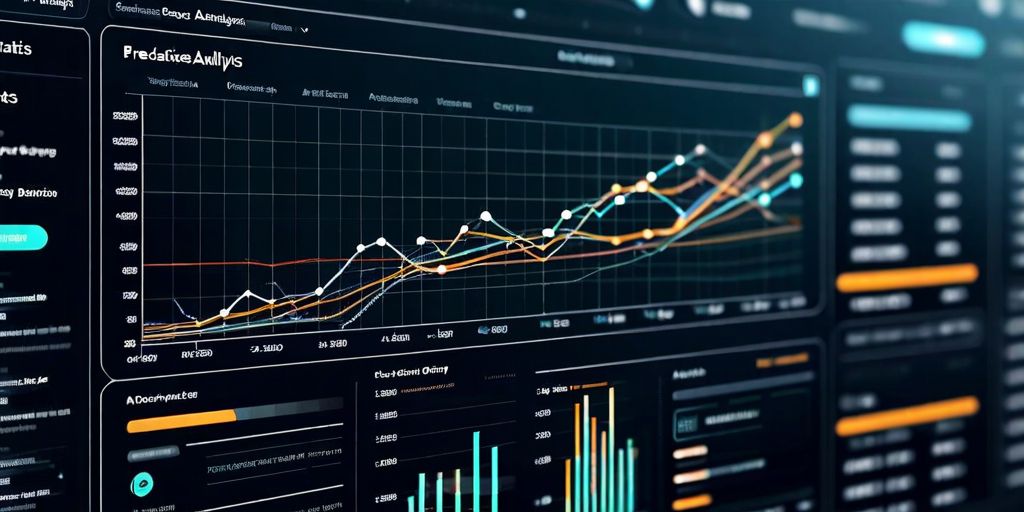
A sales VP walks into a Monday morning business review holding a dashboard printout. The dashboard shows last week's revenue by region, pipeline stage distribution at month-end, and year-to-date performance against quota. The VP knows all of this already — the data is a week old and confirms what the team discussed in last Friday's meeting. What the dashboard does not tell them is whether they will hit the quarter target, which deals are most at risk of slipping, or where to direct the team's attention this week to have the most impact. The dashboard is descriptive. The decisions it needs to support are predictive.
This gap between what dashboards show and what business decisions require is the most widespread quality problem in enterprise analytics. It is not a technology gap — the prediction capabilities have existed for years. It is a design gap: dashboard builders optimize for showing comprehensive historical data rather than for supporting forward-looking decisions. Closing this gap requires rethinking what a dashboard is for before redesigning what it shows.
The Descriptive-Diagnostic-Predictive-Prescriptive Spectrum
Analytics capabilities exist on a spectrum from retrospective to forward-looking. Descriptive analytics answers "what happened?" Diagnostic analytics answers "why did it happen?" Predictive analytics answers "what will happen?" Prescriptive analytics answers "what should we do?" Most enterprise dashboards are almost entirely descriptive, with some diagnostic capability for users willing to click through drill-downs. Predictive and prescriptive capabilities are rare despite being the most decision-relevant.
The reason descriptive dashboards dominate is not that they are more valuable — they are clearly less valuable for decision-making than predictive views. The reason is that they are easier to build with confidence. Showing last month's actual revenue requires no modeling and carries no uncertainty. Showing next month's projected revenue requires a forecasting model and carries prediction intervals. Dashboard builders often avoid predictions because they fear accountability for forecast accuracy, and because they lack a framework for communicating forecast uncertainty to non-technical stakeholders.
The accountability concern is understandable but misguided. A forecast with explicit uncertainty bounds (projected Q3 revenue: $42-48M, 80% confidence interval, based on current pipeline and historical conversion rates) is strictly more useful for decision-making than no forecast at all. Decision-makers who understand the uncertainty bounds can use the forecast appropriately: making bets within the confidence interval and creating contingency plans for the tail scenarios. Decision-makers given only historical actuals make implicit forecasts in their heads with no explicit uncertainty quantification — which is worse, not better.
Design Principles for Predictive Dashboards
Lead indicators before lag indicators. Revenue booked last month is a lag indicator: it reflects decisions made weeks ago. Pipeline coverage ratio, average deal velocity, and early-stage pipeline growth are lead indicators: they predict revenue booked next month. A dashboard designed for action prioritizes lead indicators because those are what the decision-maker can influence. Lag indicators confirm that past actions worked; lead indicators show whether current actions are on track. Most dashboards invert this priority, filling the primary view with lag indicators and relegating lead indicators to secondary pages that are rarely reviewed.
Forecast with confidence intervals, not point estimates. Point estimates ("Q3 revenue: $45M") imply false precision. They give no information about the range of realistic outcomes or about what would have to be true for the forecast to be wrong. Confidence intervals ("Q3 revenue: $42-48M, 80% confidence interval") communicate both the central estimate and the uncertainty explicitly. The probability interval should be tuned to the decision being made: an 80% interval for operational planning, a 95% interval for financial risk management, a 50% interval for fast-moving operational dashboards where wide intervals would obscure the signal.
Explain the forecast, do not just show it. A forecast that arrives without explanation is not trusted. The sentence "Q3 revenue projected at $45M (down from $48M last week): decline driven by 3 deals totaling $6M moved to Q4 in updated CRM data" gives the decision-maker everything they need: the current projection, the change from last period, and the reason for the change. Building forecast explanation into the dashboard does not require sophisticated natural language generation — template-based explanation that fills in the top contributing factors is sufficient and dramatically increases dashboard credibility and action rates.
Highlight the decisions, not the data. The fundamental design question for any predictive dashboard element is: "what decision does this inform?" A sales operations team with 200 deals in the pipeline does not need to see all 200 on the dashboard. They need to see the 15 deals that are at risk of missing the quarter based on deal velocity and stage progression patterns. Filtering the data view to the decision-relevant subset — rather than showing everything and expecting users to find the signal — is the single most impactful design change for predictive dashboards.
Technical Architecture for Prediction at Dashboard Speed
A common objection to adding predictive elements to dashboards is latency: predictive models are computationally expensive, and users expect dashboard loads in under two seconds. This is a valid concern but a solvable engineering problem.
The solution is separating prediction compute from query compute. Predictions are pre-computed on a schedule that matches the required freshness: hourly for fast-moving operational metrics, nightly for strategic planning metrics. The pre-computed predictions are stored in the same analytical store as historical data and queried at dashboard load time exactly like any other metric. The dashboard query that loads predicted Q3 revenue by region is no slower than the query that loads actual Q2 revenue by region — both are pre-aggregated table scans.
Model refresh infrastructure requires more careful design. Prediction models need to be retrained as new data arrives to prevent forecast drift. A Q3 revenue forecast model trained on data through March will diverge from a model trained on data through June as business conditions change. Automated model refresh pipelines that retrain on a rolling window of recent history, validate model performance before deploying to production, and fall back to the previous model if new training produces worse results are required for production predictive dashboards. These are engineering investments with real costs; building them is what separates predictive dashboards that remain accurate over time from those that degrade to misleading.
Common Failure Patterns
Prediction without context. A forecast that appears without historical actuals for comparison has no frame of reference. Users cannot assess whether the forecast is consistent with historical patterns, whether the uncertainty interval is typical or unusually wide, or whether the trend implied by the forecast is consistent with their mental model of the business. Every predictive element should be shown alongside enough historical context for users to calibrate their trust in the prediction.
Over-precision in forecasts. A revenue forecast expressed as "$47,382,000" implies a level of precision that no model can honestly claim for a month-out projection. Rounding to $47.4M or "~$47M" better represents the actual precision of the model and prevents users from treating the forecast with more confidence than it warrants. The precision with which a number is displayed is a statement about how confident the forecast is.
Ignoring model degradation. Prediction model accuracy should be tracked on the dashboard alongside the predictions themselves. A model whose predictions have been systematically biased for three consecutive periods is telling you something important: either the business has changed in a way the model has not captured, or the training data has a quality issue. Making model performance metrics visible to dashboard consumers, not just to data teams, creates accountability and builds the organizational trust that predictive dashboards require to drive action.
- Lead indicators support decisions; lag indicators confirm outcomes. Prioritize the former in predictive dashboards.
- Forecast confidence intervals communicate both prediction and uncertainty; point estimates communicate neither accurately.
- Pre-compute predictions on a schedule; dashboard queries for predictions should be no slower than queries for historical data.
- Explain the forecast; template-based explanation of top contributing factors substantially increases user trust and action rates.
- Track model accuracy on the dashboard; visible model performance creates accountability and organizational trust in predictions.
The sales VP from the opening example does not need a better view of what happened last week. They need a system that tells them which deals to call on Monday, what the quarter looks like based on current pipeline, and what actions have historically moved deals from at-risk to closed. Building that requires predictive models, but it also requires dashboard design that is organized around decisions rather than data. The technology is available; the design discipline is what most organizations have not yet applied.
See how Dataova's predictive dashboard layer combines pre-computed ML forecasts with automated explanation to make every business review forward-looking by default.